
Equipment foundations in CADMATIC HULL
Designing equipment foundations is one of the most demanding stages in hull engineering. It requires a careful balance between structural integrity, precise equipment alignment, and efficient system routing. When this is not achieved, foundations become over-engineered, difficult to fabricate, and unnecessarily costly.
The right design software and superior expertise in surrounding conditions are required to meet these challenges, this is something we understand at C-Job Nikolayev. CADMATIC Hull offers powerful tools to streamline and control foundation modeling — but only when used in the correct way.
We take a deep dive into how CADMATIC Hull supports our engineers in every stage of foundation design — from initial system integration to finalized production drawings.
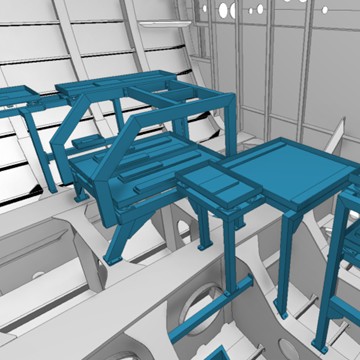
The Input and the Output
There are many ways we could categorize equipment foundations such as by size, designed load, installation type, or other characteristics. In this article, we are focusing on the most complex type – standalone foundations. The design process for standalone foundations involves a number of steps and we will discuss them one-by-one. The first step is an initial assessment of the requirements for determining the 3D space.
To perform this stage, three main components are needed:
Once the details for step one are cleared the foundation can be created and finally, after model confirmation, manufacturing drawings are made and released alongside other production information for that particular foundation. At this point the specific requirements and standards of the building yard can be incorporated into the documentations to seamlessly include in the production process.
Every shipyard has their own standards, and common variations are:
Without proper tooling the multitude of variations will be a lot of work. However with the right tools we are able to provide this flexibility to our clients efficiently and deliver documentation which look familiar to the ones working with it. And that is what counts.
CADMATIC Hull Overview
CADMATIC Hull is a software solution that covers all stages of hull design, starting from basic design for creating documentation for classification up to a complete 3D detailed design model and automatic extraction of production data. As a rule-based engineering system with a variety of tools at hand, the software can be used for foundation design as well.
As mentioned before, in order to model a foundation, you need hull data, the equipment model, and other relevant systems included in your 3D space. CADMATIC Hull supports a wide variety of 3D model file types for import, along with a comprehensive set of tools for fast and efficient hull modeling. This ensures a precise representation of the space we are working in. The toolset also provides dedicated instruments for foundation creation, which are essential for designing complex equipment foundations.
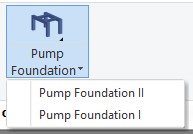
Firstly, there is the foundation tool itself, which provides us with a semi-automated creation process. In most cases, it’s a starting point that provides a first iteration for a soon-to-be-complete mode
The latest CADMATIC Hull version supports two foundation types available for semi-automated creation. They are commonly used for pumps, but also suitable for other types of equipment.
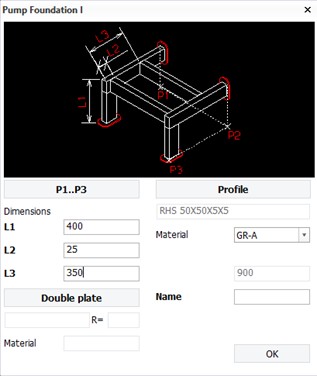
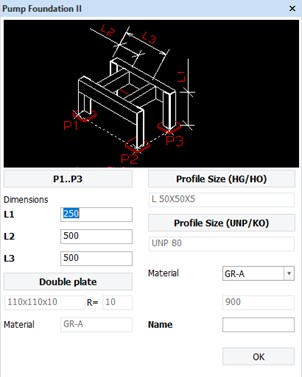
Both foundation types provide extensive customization options:
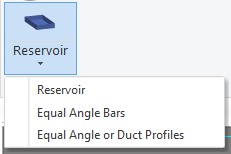
All these parameters can be adjusted later. In addition, material and profile libraries can be configured by the project administrator according to the requirements.
If drip trays are to be considered, CADMATIC Hull has you covered as well, providing several types according to assembly type.
Although CADMATIC Hull has a plate creation tool for hull structures, a better tool is available for doubling plates. The double plating tool allows you to:
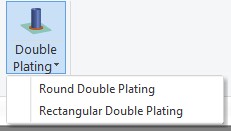
Alongside these foundation-focused tools, CADMATIC Hull offers a wide range of other construction instruments. Although originally designed for hull structures, many of them are directly applicable to foundation modeling or can be used in specific cases to support task completion.

Since CADMATIC Hull is a rule-based system, the project model becomes flexible. All foundation parts are correlated and interdependent, which allows easy modifications. Moving one element automatically adjusts connected elements to its new position, maintaining the integrity of their connections.
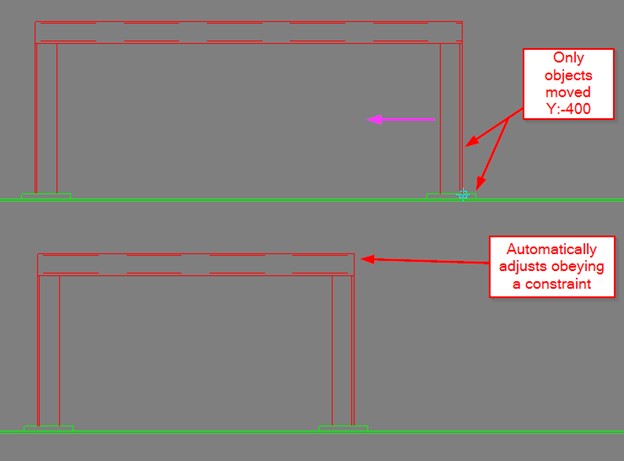
However, setting up such a flexible system can be time-consuming if performed manually. In general, modeling via 2D views is less intuitive and more labor-intensive than modeling directly in 3D. This drawback becomes especially noticeable with complex foundations positioned non-orthogonally, as they require an extensive number of perpendicular views to produce accurate models and drawings.
After the initial model passes all necessary revisions, it is ready for the next step: production information. Since CADMATIC Hull is a rule-based system, most modeling is performed in 2D views that can later be used in drawings. Even if the majority of views are already created, they typically require some refinements, such as additional annotations, extra geometry adjustments, custom isometric views. CADMATIC Hull provides a variety of features to support these needs.

The toolset for foundations is the same as for hull structures. It includes:
These tools help prepare a view or section for a drawing. Once the views are finalized, they can be added to a sheet drawing together with report tables and imported standard details. This workflow is particularly effective in large-scale production, as CADMATIC offers ready-made templates for report tables and allows storing standard details on the server side for team-wide access.
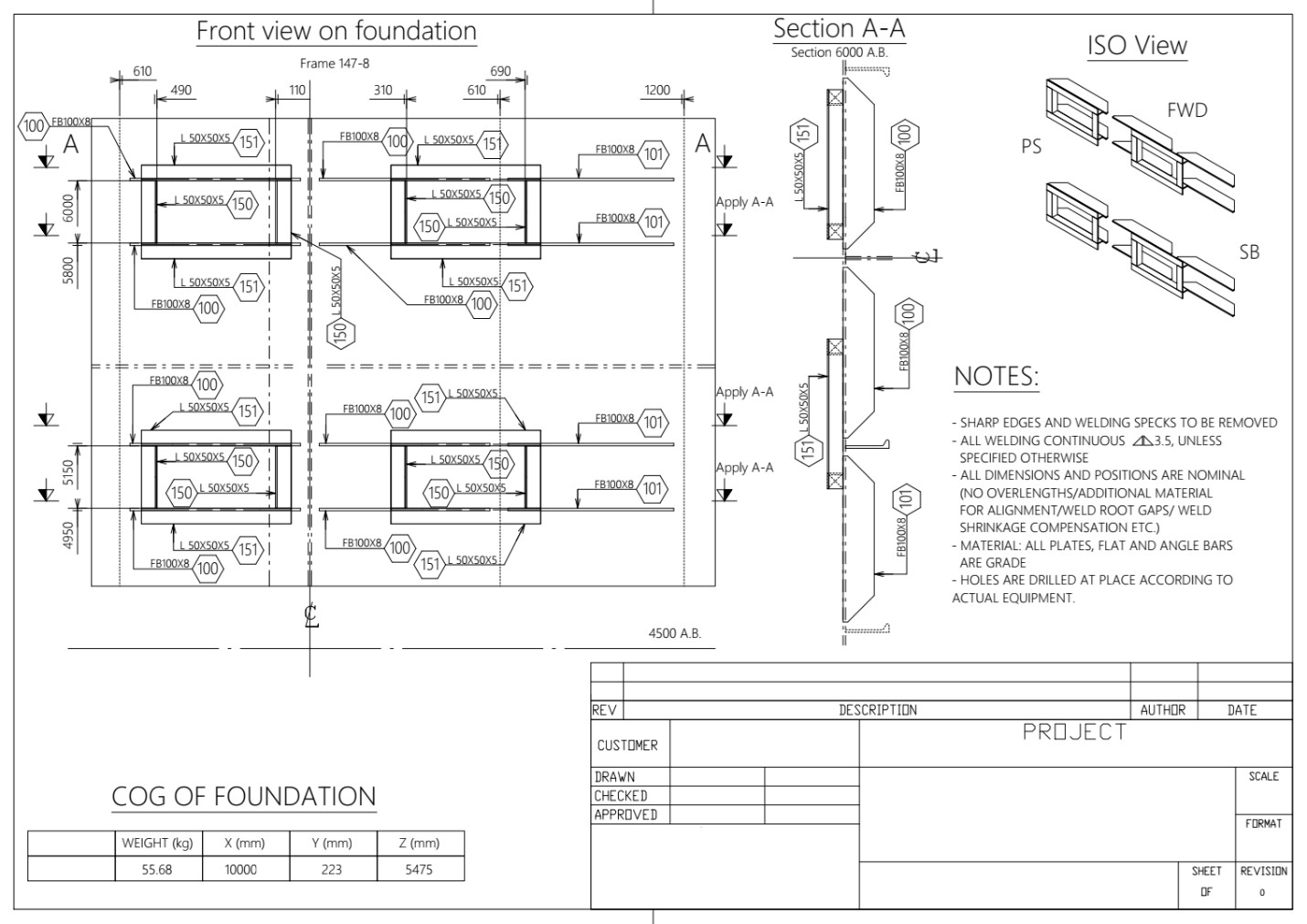
Example of a complete drawing made in CADMATIC Hull
However, CADMATIC Hull isometric views do not support equipment model depiction, though they work well in 2D views. Another drawback is the lack of good filtering options for objects in views, so sometimes a cleanup outside of CADMATIC might be needed. On the positive side, the software is great for releasing drawings for a whole compartment with foundation drawings in a single bundle, as CADMATIC Hull specializes in hull drawings and covering extensive areas in a single file.
An area where CADMATIC Hull truly excels is production information. Designed with this purpose in mind, the software provides a highly customizable set of production tools. Once configured in the project, it allows easy generation of:
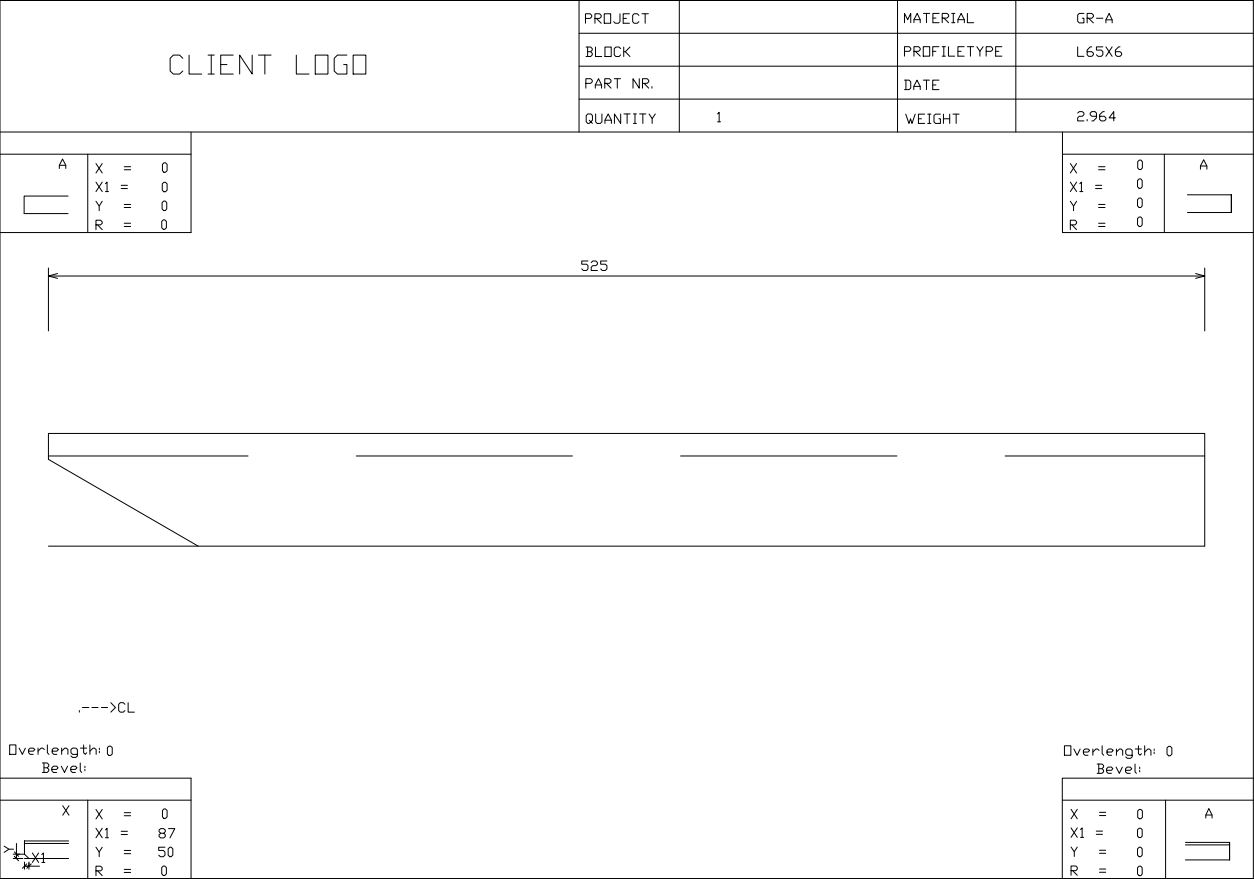
Profile sketch example
This functionality enables an automated approach to the foundation manufacturing process, making it especially valuable for large-scale production environments.

CADMATIC Hull for foundation production — my conclusion
What it delivers:
Trade-offs to expect :
Bottom line: despite the trade-offs, CADMATIC Hull remains a valuable choice for efficient, precise foundation manufacturing.
News updates

Driving the global maritime industry towards sustainability by dedication and ingenuity.